Population Group Management✯
Presentation and Principles✯
The various actors at ISIMA and LIMOS are divided into population groups to inherit rights (access rights to certain services such as the GitLab forge, inclusion in mailing lists).
These actors include:
- ISIMA members: faculty, external faculty, administrative staff, etc.
- LIMOS members: researchers, PhD students, research support, etc.
- Students: FISE, FISA, Prep_isima, master's, bachelor's
- External individuals interacting with ISIMA or LIMOS: LIMOS contributors, external faculty, interns, external students
ISIMA and LIMOS administrative staff as well as faculty can now manage these groups (depending on their rights) via the internal software my.isima.fr.
This software, among other things, is a tool for administering the ISIMA / LIMOS information system
The section on group management described in the following documentation is not accessible to students, PhD students, or external individuals.
There are a very large number of groups due to the granularity required for mailing lists.
Thus, a group nesting system allows a person who is part of a group to inherit its rights but also to inherit the rights of parent groups.
For example, Ms. Durand has been registered as a member of the child group:
She will have access to the services of the child group (GitLab forge) AND to the services of the parent group (mail, VPN).
Similarly, she will be part of the child mailing list fils@listes.isima.fr AND the parent mailing list parent@listes.isima.fr.
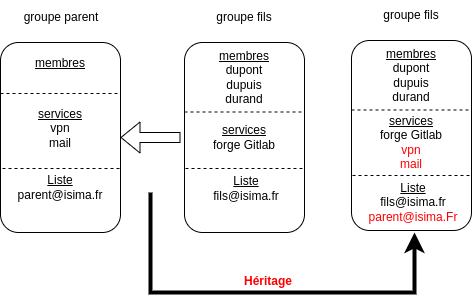
Some groups are also mailing lists, others are not.
Some groups may not contain anyone directly but only through inheritance.
Tips
Technically, services and mailing lists are also groups. Some groups were created by the UCA (dark green icon), others by us (light green icon).
Group Directory Home Page✯
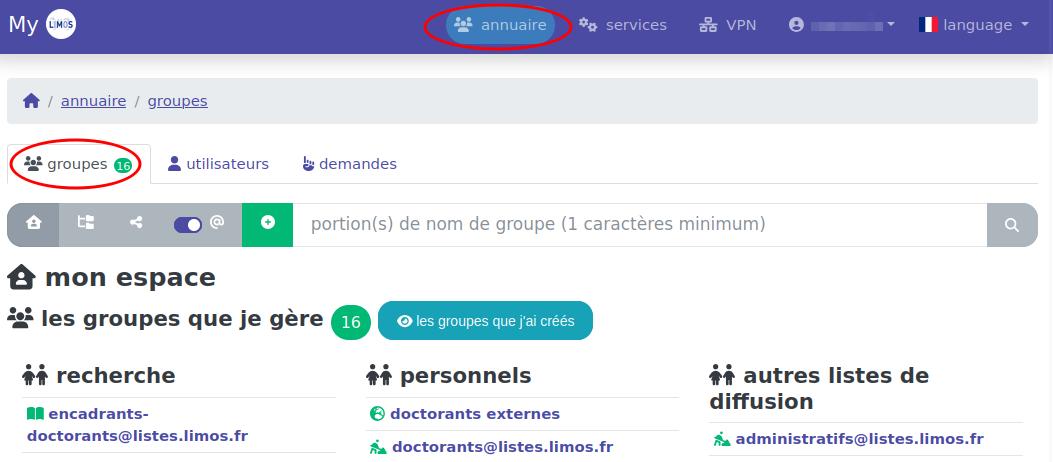
In MY, you can access groups by clicking on the annuaire and groupes tabs at the top of the page.
Your Home Page✯
Upon arriving at the directory, you land on your home page. Symbolized by a house  , it allows you to return to this page at any time.
You will see the list of groups you manage. You can click on a group to view its members and properties. (Here, the logged-in user manages 13 mailing lists.) Groups are divided into large subsections for better readability.
Overview of Groups✯
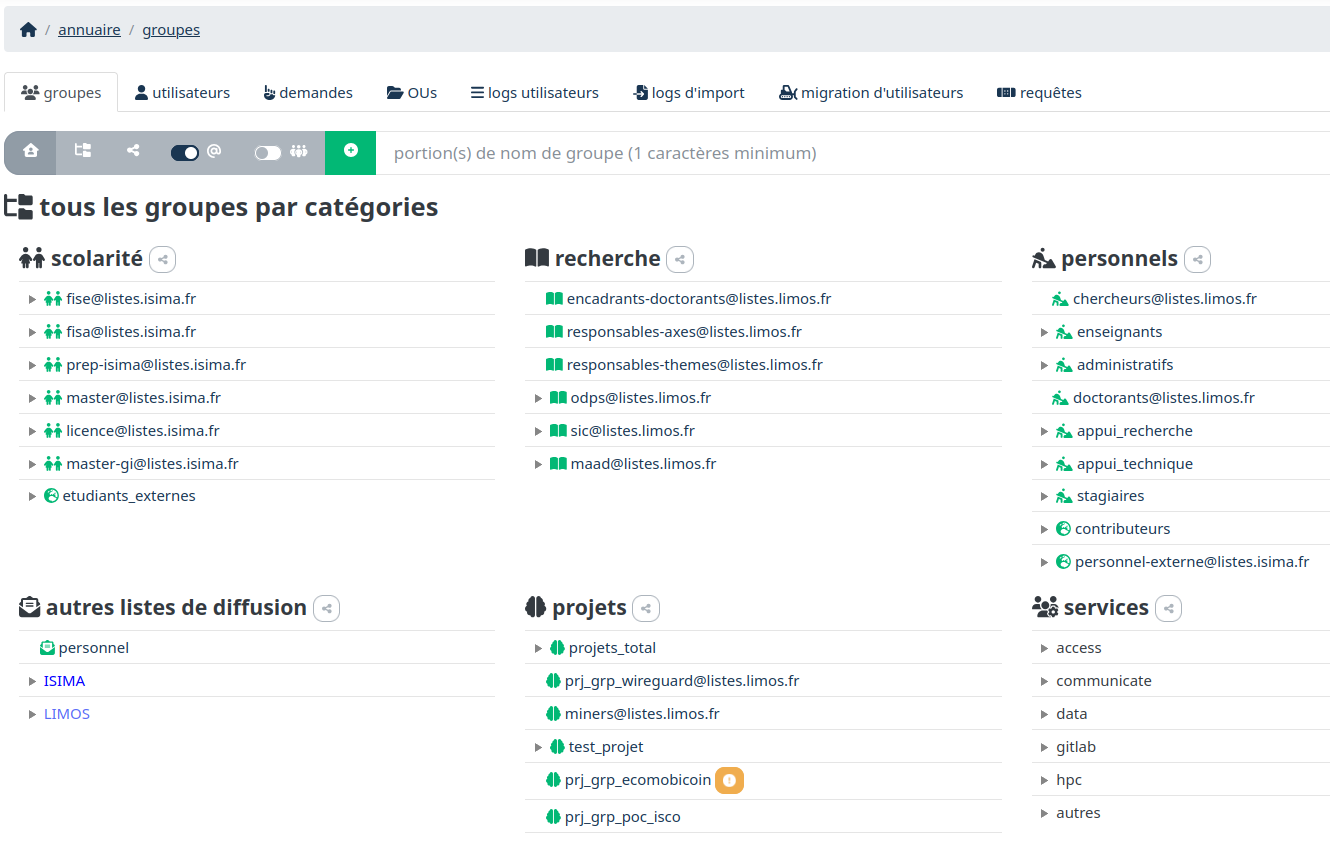
To get an overview of the groups and mailing lists that exist (not just those you manage), click the button  .
.
You will then be able to view groups by category (academics, research, staff, projects, etc.).
Overview of Groups as a Mind Map✯
To get a visual representation of groups and their nesting, click the button  .
.
You will then see a visualization like this:
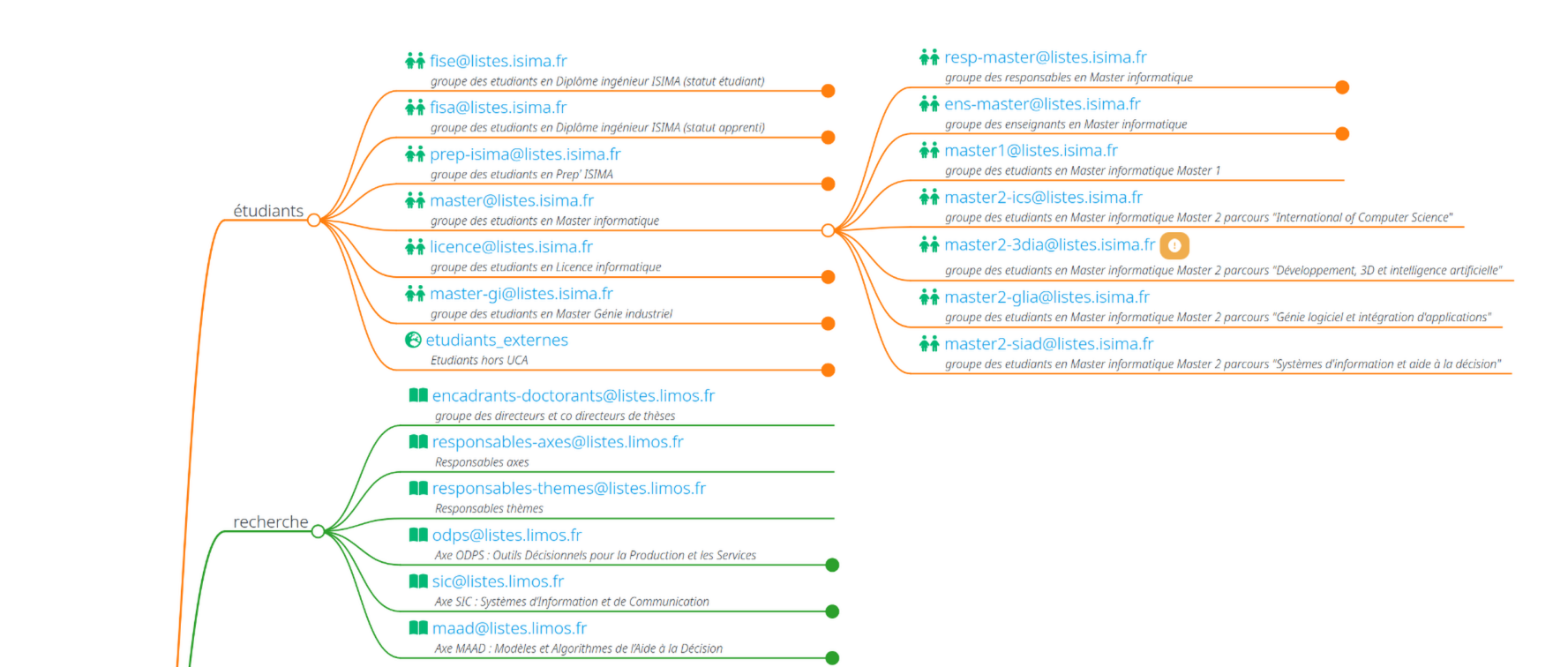
Using the Mind Map
To navigate the mind map, you can zoom with the mouse wheel, move the view by clicking and dragging the mouse, and click on a group's "point" to expand or collapse its children.
View with Group Names or Mailing List Names✯
You have a button that allows you to display groups by their name or by the name of the mailing list (if the group is one). 
Searching for a Group in MY✯
You can search for a group by its name (even if it is incomplete). The search is case-insensitive and accent-insensitive.
To do this, simply type your search in the search bar at the top of the page.

You will then see a list of groups in the results. You can click on a group to view its members and properties.